Mini 8GB USB Pen Voice Recorder + Earphones Guide
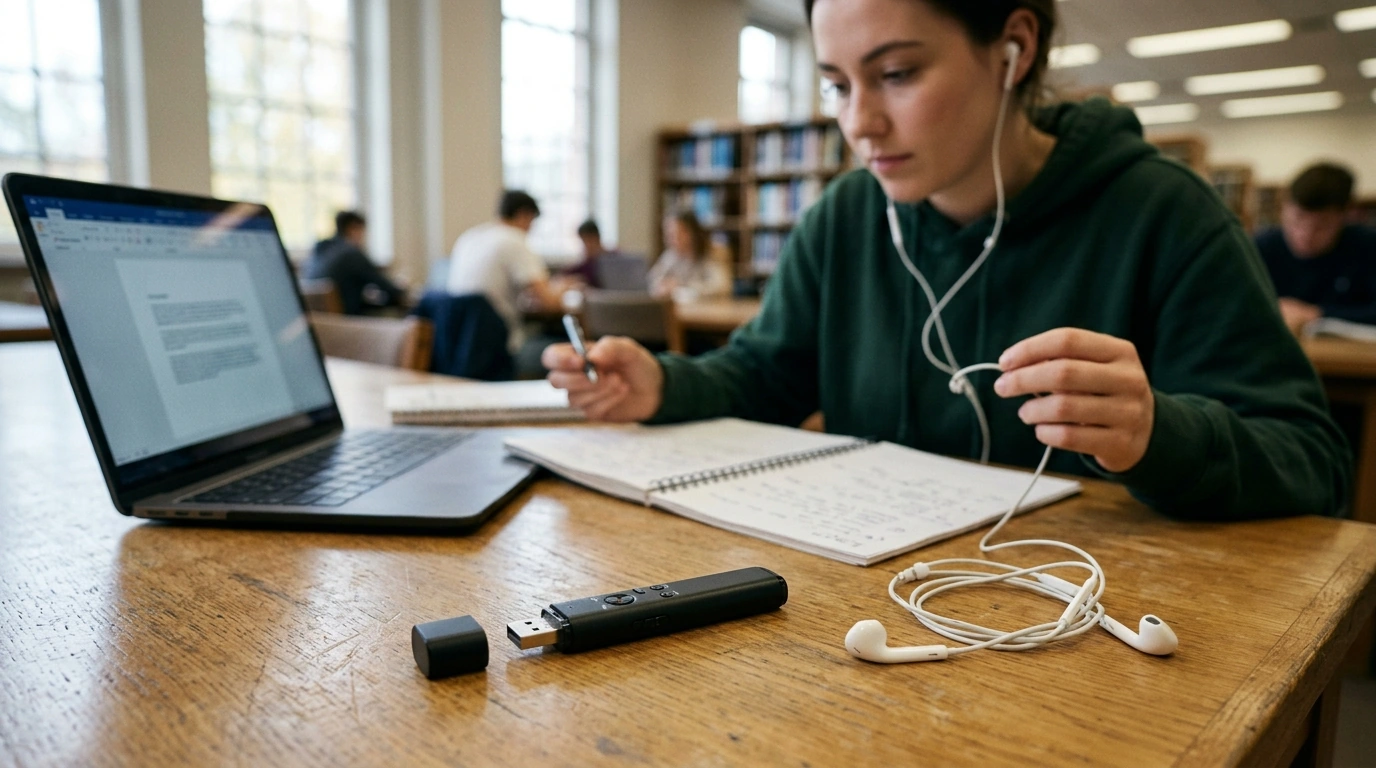
Mini 8GB Voice Recorder USB Pen with Earphones: Capture Notes, Then Listen Back Anywhere
Some days call for less friction: press once, record the moment, and move on. Our mini 8GB voice recorder hides in plain sight as a USB pen-style device, then switches roles again as a digital audio/MP3 player with included earphones—built for lectures, meetings, quick reminders, and spoken drafts when typing would slow everything down.
What this USB pen recorder is made for
If you’ve ever left a class or meeting with half-finished notes and a nagging feeling you missed something important, a small dedicated recorder can close the gap. This pen-style format is easy to keep in a pocket or bag, so you can capture audio without turning recording into a whole “setup.”
- Lectures and study sessions: capture the full explanation, then replay the sections that matter.
- Meetings and interviews: keep details accurate when notes can’t keep up.
- Personal reminders and spoken to-do lists: record ideas the moment they show up.
- Travel and commutes: use it as an MP3 player with earphones when recording is not needed.
- Backup capture: a compact option to keep in a bag as an always-ready recorder.
A small tool with three jobs: recorder, MP3 player, USB storage
What makes a pen recorder especially practical is that it reduces device juggling. You can record, move files to a computer, and listen back on the go—without needing separate gear.
- Voice recording in a pen-style form factor to stay low-profile and easy to carry.
- Digital audio playback so recordings can be reviewed without a computer.
- MP3 player mode for regular listening sessions using the included earphones.
- USB connection for transferring files and keeping essentials on-hand like a thumb drive.
- 8GB capacity for storing a practical library of recordings and audio tracks.
At-a-glance capabilities
| Function | How it helps day-to-day | When to use it |
|---|---|---|
| Voice recording | Captures spoken notes and conversations without stopping to type | Classes, meetings, quick memos |
| Playback (digital audio/MP3) | Revisit details and learn by repetition | Study review, proofreading spoken drafts |
| USB storage/transfer | Move files to a laptop/desktop and archive sessions | Organizing notes, sharing audio |
Simple workflow: record → transfer → organize → replay
A recorder only saves time if the workflow stays simple. Here’s a repeatable routine our team recommends so you can actually find what you recorded later.
- Before recording: pick a quiet spot when possible and keep the device close to the speaker for clearer sound.
- During recording: keep handling noise down—avoid clicking, tapping, or pocket movement.
- After recording: connect via USB to move files to a computer and name them immediately (date + topic works well).
- For studying: replay recordings in short passes—first to outline, second to capture key points, third to check details.
- For interviews: keep an index note with timestamps for key moments to find them faster later.
Getting clearer recordings in real spaces
Most “bad audio” comes down to distance, room echo, and vibration—things you can often fix in seconds without changing any settings.
- Distance matters more than volume: move closer to the source instead of relying on louder speech.
- Choose your surface: placing any recorder on a vibrating table can add rumble—use a steady spot.
- Mind the room: soft furnishings reduce echo; hard walls and empty rooms can make voices sound far away.
- Record a short test when possible: a 10-second check can save a full hour of unusable audio.
- If the goal is accuracy: ask speakers to pause between topics so playback is easier to follow.
Listening back: using earphones for focused review
When you’re reviewing speech—especially in public places—earphones aren’t just convenience, they’re clarity. They help isolate consonants and quieter phrases that get lost on laptop speakers.
- Earphones help isolate speech details that disappear on speakers in noisy environments.
- Keep listening levels moderate—especially during long review sessions. For safe-listening context, see the World Health Organization guidance on hearing loss and safe listening.
- Use playback as a second pass: pair audio review with a clean set of written notes for faster retention.
- For language practice: replay short phrases and repeat them back to train pronunciation and pacing.
Responsible recording: consent and privacy basics
Recording can protect accuracy, but it also creates responsibility. Laws vary by location and situation, so build habits that keep you on the safe side.
For a plain-language starting point on the legal concept of wiretapping and consent, you can review Cornell Law School’s Legal Information Institute overview.
Pair it with a privacy sweep when the stakes are high
In-stock picks from our team
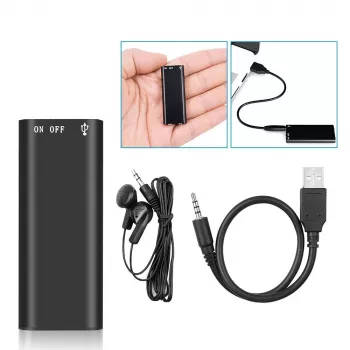
- Mini 8GB Voice Recorder Digital Audio MP3 Player USB Pen with Earphones
- Wireless RF Signal Detector – Anti Spy Camera & GPS Tracker Finder
FAQ
How much audio can 8GB hold?
It depends on recording quality, bitrate, and file format, but 8GB typically holds many hours of voice audio. The most reliable way is to make a short test recording, check the file size, then estimate how many similar hours fit in the remaining space.
Can recordings be moved to a computer?
Yes—connect the recorder to your computer with USB, locate the audio files, then copy them into folders and rename them (date + topic is an easy system). The exact folder names and steps vary slightly between Windows, macOS, and other operating systems.
Is it legal to record a conversation?
Recording laws vary by location and context, including “one-party consent” versus “all-party consent” rules. Check your local requirements and get consent when needed, and keep recordings private and purpose-limited.









Leave a comment